Building high-impact presentations manually consumes hours of valuable time and specialized design skills. With the latest AI updates in Google Workspace, you can now generate beautifully designed, brand-aligned presentations effortlessly using Gemini in Google Slides.
Whether you are preparing a global team kick-off, pitching investors, or presenting quarterly campaign results, Gemini handles the heavy lifting—from data gathering to slide formatting.
How to Build AI-Generated Presentations with Gemini
-
Start Instantly: Go to slides.new and select "Generate presentation" or open Gemini in the side panel of a blank deck.
-
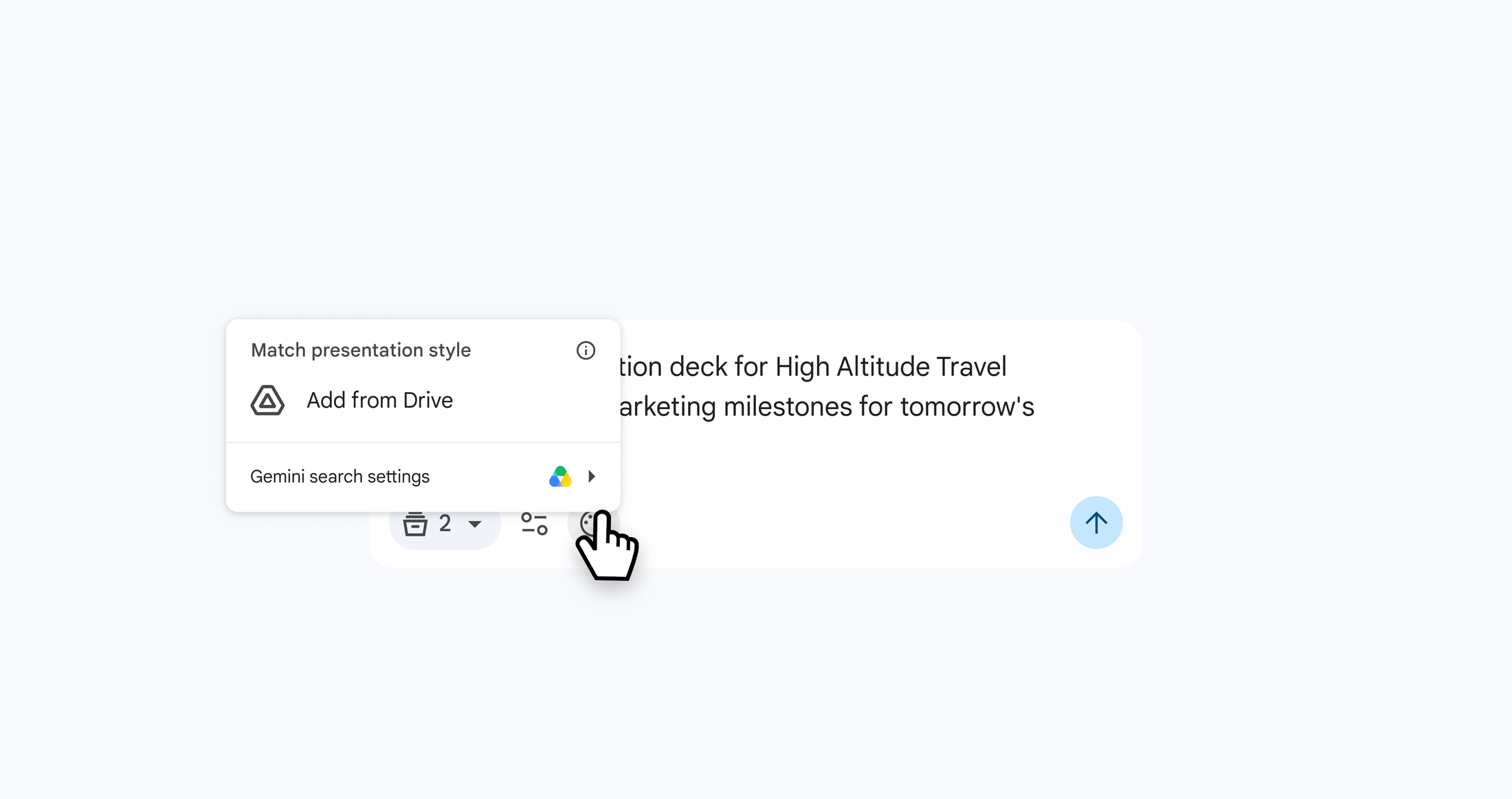
Provide Context & Files: Describe your presentation topic using natural language prompts. Attach relevant reference materials—such as Google Docs, Sheets, PDFs, or previous pitch decks.
-
Match Your Brand Style: Select an existing deck as a style reference, allowing Gemini to automatically match your corporate branding, color palette, and design guidelines.
-
Refine the AI Outline: Gemini interacts with you during setup, suggesting relevant Google Drive files and asking about desired length, tone, and focus. Review and approve the structured outline before slides are built.
-
Generate and Collaborate: Gemini builds your fully editable presentation in the background.
Seamless AI Slide Editing and Refinement
Every slide generated by Gemini remains 100% customizable, giving enterprise teams and creators complete design control:
-
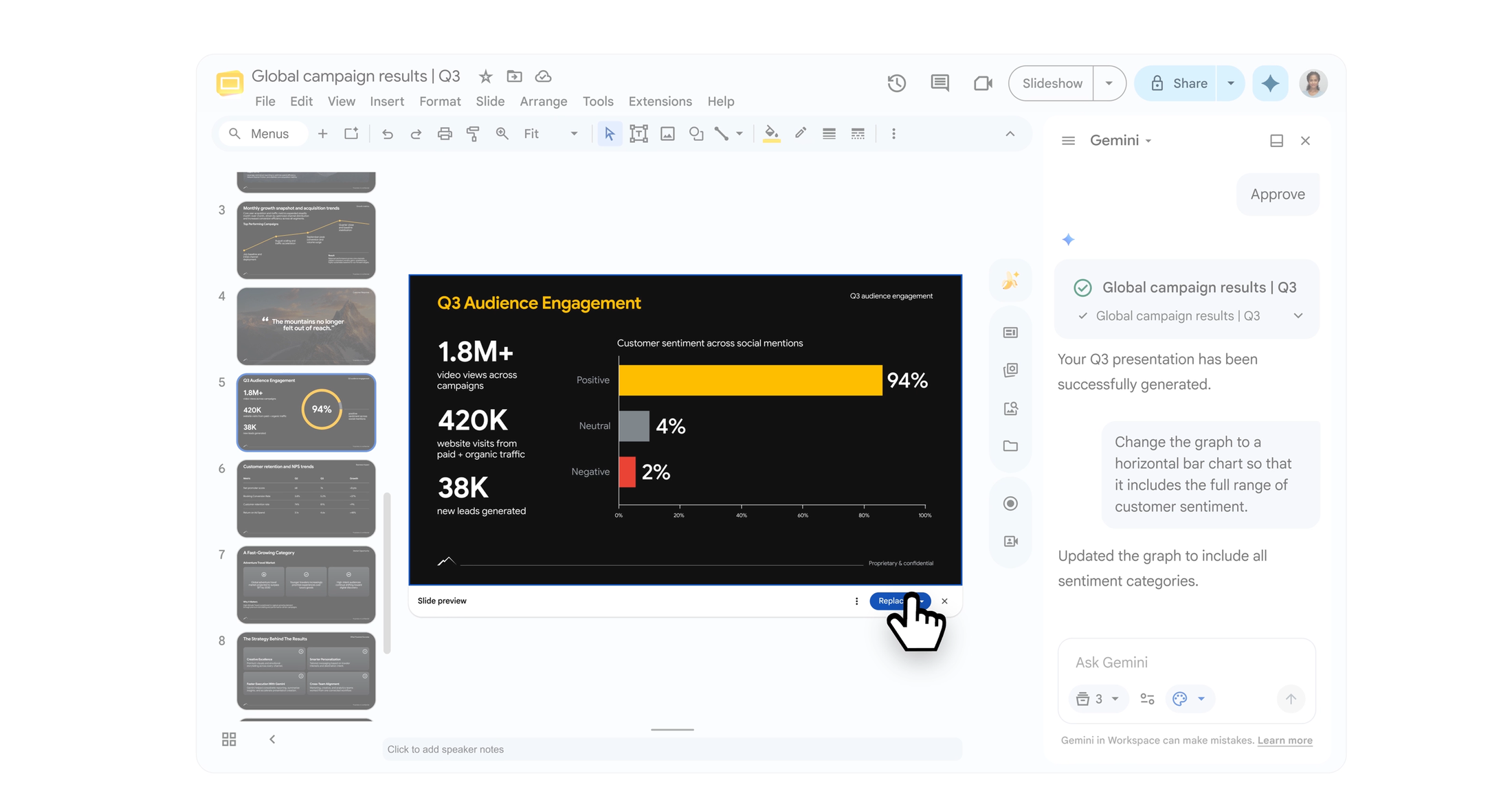
Natural Language Edits: Direct Gemini to swap color schemes, adjust layouts, or update dynamic charts across slides without manually dragging individual elements.
-
Content Optimization: Ask Gemini to rewrite slide copy to sound more executive, concise, or persuasive in seconds.
-
Smart Data Integration: Turn dense reports and spreadsheets into clear, visual data points effortlessly.
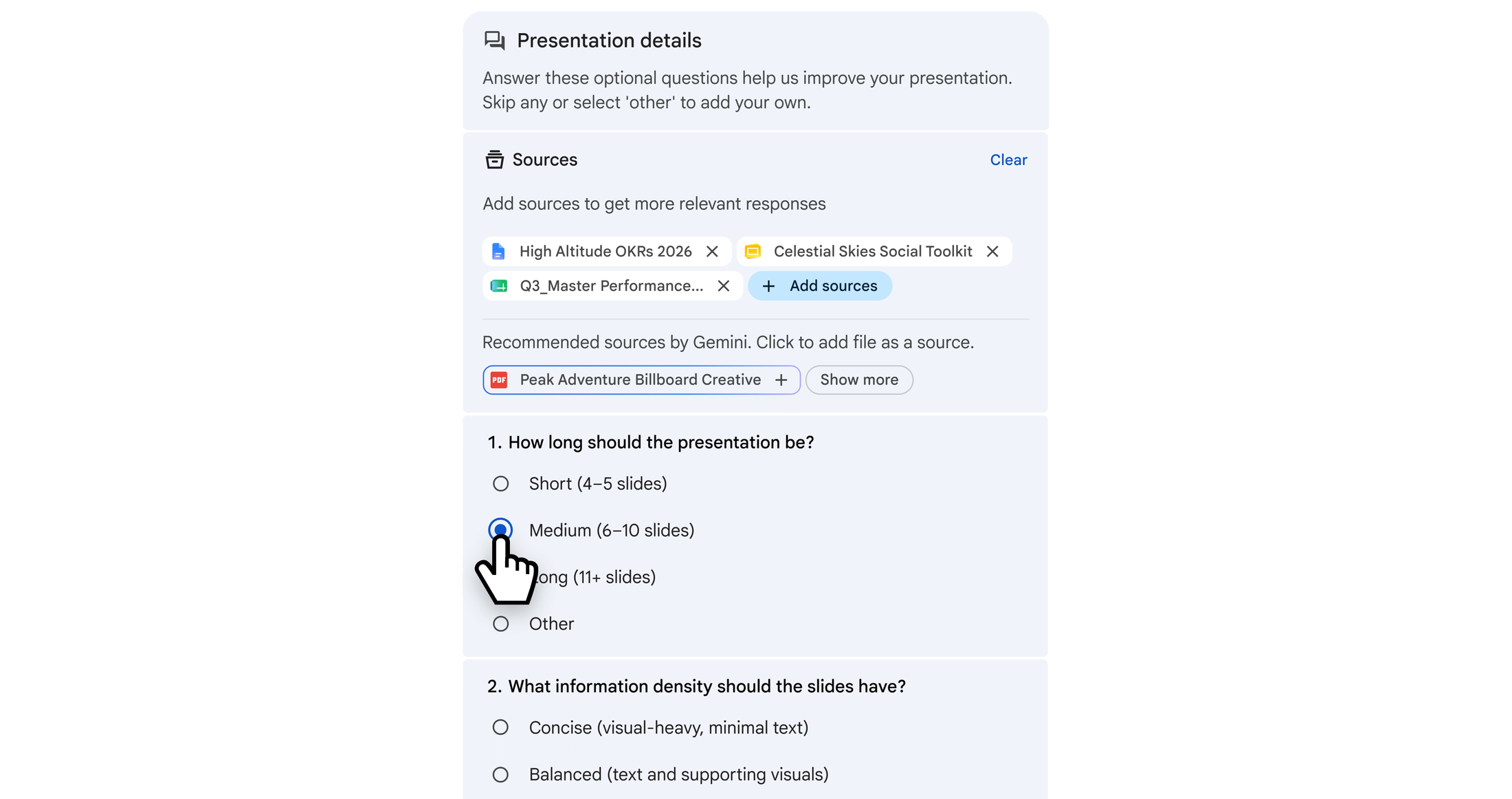
Gemini guides you through the process, asking questions and making suggestions
Gemini turns all of those inputs into a clear, structured outline for you to review. This interactive setup lets you guide the output before a single slide is built, ensuring it aligns perfectly with your goals. Once you approve, Gemini works behind the scenes to generate your deck and notify you as soon as it’s complete.
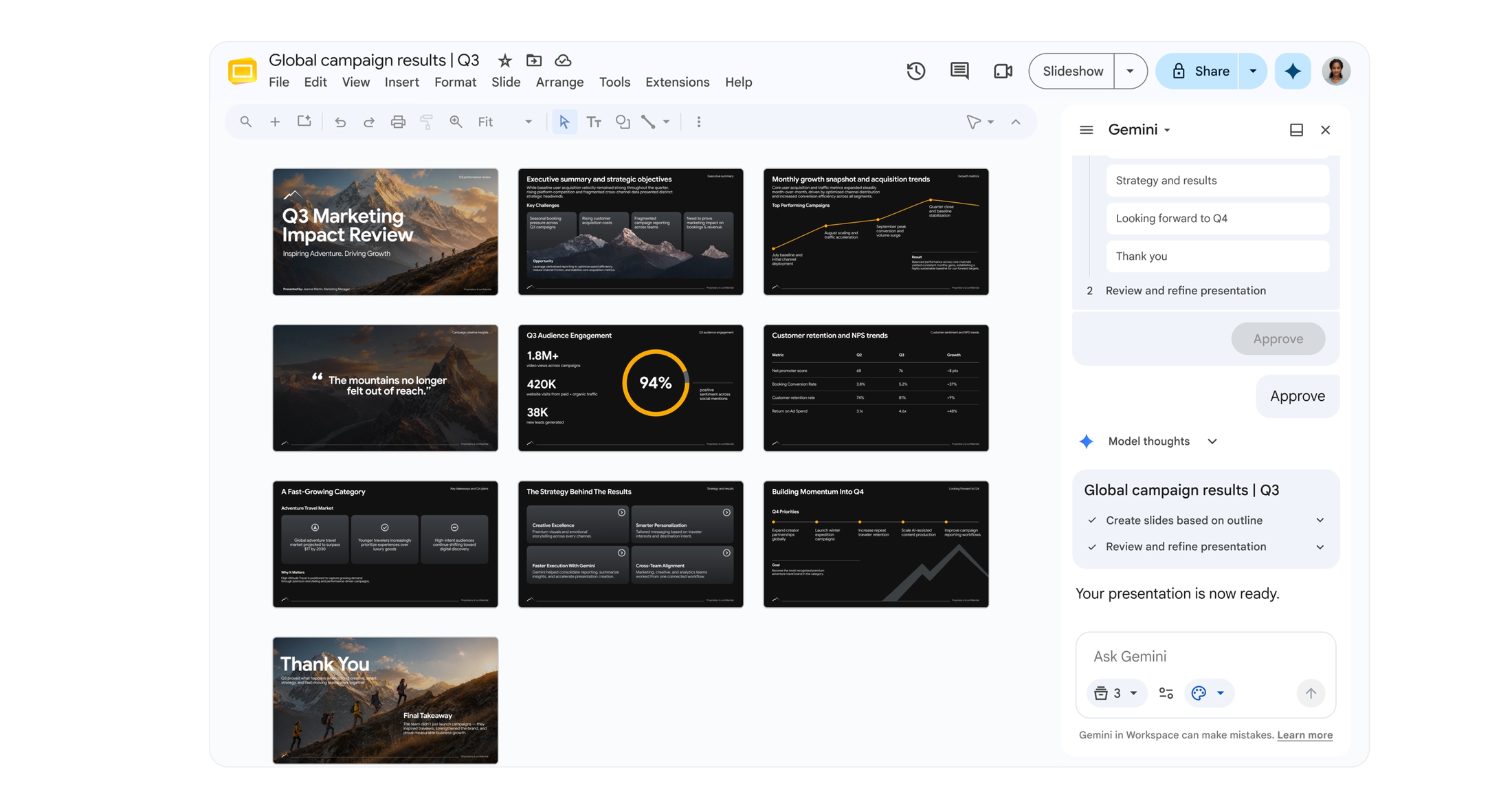
Gemini guides you through the process, asking questions and making suggestions
Collaborate with Gemini to refine your presentation
Every slide created with Gemini is completely editable, keeping you in full control. You can direct Gemini to adjust layouts, swap color schemes, or update generated charts on any slide without having to select individual elements or make tedious manual adjustments.
You can also ask Gemini to rewrite text on specific slides to make it more professional or concise. Whether you are tweaking bullet points or overhauling entire blocks of text, you can iterate dynamically alongside Gemini.
Availability and Getting Started
Gemini in Google Slides is available for Google Workspace customers on Business and Enterprise (Standard and Plus) plans, as well as users with Google AI Pro or AI Ultra subscriptions. Features are launching initially in English.
Ready to save time and elevate your presentation workflow?
Comments